Release Token
The topic of tokens and token release is described in the article Token.
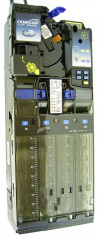
mei CF 690
Vencube produces ticking noises
| image
|
root cause
|
rectification
|
|
MDB level from coin changer is not level 3
|
The coin changer must be converted to MDB Level 3 with all extras:
- Hold the "Yellow button" on the coin validator for two seconds until
Prices appears on the display.
- Use the "B button" (press once) to go to
Settings and confirm with the "A button" .
- Now the display shows
MDB Config.: Active and by pressing the '"A-key" again MDB Version is called up.
- The display continues to scroll and pressing the "A button" again shows (level).
There are three settings:
Change with the 'B-key'!
- Level 2
- Level 3 No Extras
- Level 3 All extras.
- Select the setting MDB Level 3 All Extras and confirm with the '"A-Key".
- Exit the settings menu by pressing the "yellow button".
- If the VenCube is still ticking, the vending machine must be switched off once.
Please wait a few seconds before switching it on again.
Attention:
There are 2x MDB Level 3, please note the running text in the display.
|
mei CF 7400
no coin acceptance / no credit display / "cash register blocked"
| image
|
error
|
rectification
|

|
- no credit display
- Error message "Checkout locked"
|
MEI CF 7400 with software V 1.27 and V 1.2710.
VenCube software version must be: 98.19 or higher.
|
Vencube produces ticking noises
| image
|
root cause
|
rectification
|
|
|
MDB level from coin changer is not level 3
|
The CF7400 cannot be switched in the field. In this case, the coinchanger must be replaced.
|
Maximum coin values of the coin tubes in the Vencube are ignored by the coin changer
| image
|
root cause
|
rectification
|
|
|
Changer firmware is outdated.
|
MEI CF 7400 requires software version 1.25 or higher.
|
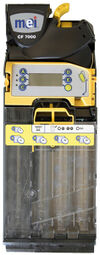
mei CF 7900
no coin acceptance / no credit display / "cash register blocked"
| image
|
error
|
rectification
|
|
- no credit display
- Error message "Checkout locked"
|
MEI CF 7900 with software V 1.27 and V 1.2710.
VenCube software version must be: 98.19 or higher.
|
Vencube produces ticking noises
| image
|
root cause
|
rectification
|
|
|
MDB level from coin changer is not level 3
|
- Setting
- Press and hold the yellow button on the coin validator for 3 seconds until
Prices is shown on the display.
- Press the D button 3x until
Automation Options appears on the display.
- Press yellow button 1x for
MDB Options and press yellow button again for Change. optimal..
- Press the D button once for
Level and confirm with the yellow button.
- Then press the D button until
Level 3 is displayed and confirm with yellow.
- Now press the C button until you exit the menu.
Then restart the vending machine. Please wait a few seconds before turning it back on.
|
Maximum coin values of the coin tubes in the Vencube are ignored by the coin changer
| image
|
root cause
|
rectification
|
|
|
Changer firmware is outdated.
|
MEI CF 7900 needs software version 1.25 or higher.
|
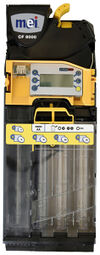
CF 8xxx
Vencube produces ticking noises
| image
|
root cause
|
rectification
|
|
MDB level from coin changer is not level 3
|
- The level 3 setting applies to all four variants of the 8000 series.
- CF 8200
- CF 8250
- CF 8500
- CF 8550
- Setting
- Press and hold the yellow button on the coin validator for 3 seconds until
Prices is shown on the display.
- Press the D button 3x until
Automation Options appears on the display.
- Press yellow button 1x for
MDB Options and press yellow button again for Change. optimal..
- Press the D button once until
Level is displayed.
- Select
Level menu with yellow and select Level 3 using the D or E button and confirm with yellow.
- Then press the C button until you exit the menu.
Then restart the vending machine. Please wait a few seconds before turning it back on.
|


